Smart Home Devices Every Houston Homeowner Should Own in 2026
Owning a home in Houston comes with its share of hazards, such as triple-digit summers, hurricane season, humidity that won’t seem to end, and power outages that can happen with little warning. This configuration makes it easier for smart home devices for homeowners, and it’s no longer a novelty. The proper devices can not only make things easier for you, but they can also help you see issues early, save energy costs, and, most importantly, keep your home running smoothly even when you are away.
If you have been on the fence about upgrading, 2026 is a great time to begin! The devices are also more reliable and less expensive than they were two or three years ago. The definitive, no-hesitations list of what to own.
What Counts as a Smart Home Device (For Beginners)
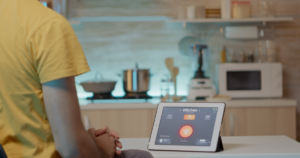
When you’re new to this, it’s best to begin with the basics. Smart home devices for homeowners are all the devices in your home that are connected to a Wi-Fi network or a smart hub that can be managed remotely with an app, a voice assistant (Alexa, Google Home, etc.) or automatically according to a schedule or sensor.
Smart home devices for beginners are typically in one of four categories:
- Comfort — thermostats, smart vents, ceiling fans
- Security — locks, doorbells, cameras and motion sensors
- Convenience — plugs, lighting, garage door controllers, and modern light fixtures Houston homeowners can control remotely
- Safety — smoke detectors, water leak sensors, carbon monoxide monitors
It’s not necessary to purchase it all at once. When it comes to home security devices, most Houston homeowners begin by adding one or two devices, most likely a thermostat or a video doorbell, and then add more as they get used to it.
Must-Have Smart Home Devices for Every Houston Home
Some smart home devices for homeowners matter more than others, especially given Houston’s weather patterns. Here’s a quick-reference table of the devices worth prioritizing first.
Device | What It Does | Why It Matters in Houston |
Smart Thermostat | Learns your schedule, adjusts cooling automatically | Manages AC load during extreme summer heat, lowers energy bills |
Video Doorbell | Live video, motion alerts, two-way audio | Package theft and porch monitoring in dense neighborhoods |
Smart Lock | Keyless entry, remote lock/unlock, activity log | Convenient for rentals, guests, and service access |
Smart Smoke & CO Detector | Sends phone alerts if smoke or gas is detected | Faster response when you’re not home |
Smart Plugs | Remote and scheduled control of any plugged-in device | Cuts standby power use, useful for seasonal decor and fans |
Water Leak Sensor | Detects leaks near water heaters, washers, and sinks | Early warning before hurricane-season flooding or pipe leaks turns into major damage |
Smart Lighting | App or voice-controlled bulbs and switches | Energy savings, security lighting while traveling |
This table alone covers the core of what most homeowners need — everything past this point is about refining and upgrading that foundation.
Smart Thermostats — Built for Houston Heat
Of all the smart home devices for homeowners on this list, the thermostat delivers the fastest payback. If you only buy one smart device this year, make it a thermostat. Houston’s cooling season stretches from roughly April through October, and air conditioning typically makes up the largest chunk of a homeowner’s energy bill here. A smart thermostat learns your daily patterns, adjusts automatically when you leave the house, and can cut cooling costs noticeably over a full summer.
Look for models with humidity sensing built in Houston’s humidity that makes a home feel hotter than the actual temperature, and a thermostat that accounts for that will keep your AC from overworking.
Smart Locks & Video Doorbells for Home Security
After the thermostat, the second item that’s typically bought online is smart locks or video doorbells, and it makes sense. Video doorbells allow you to view who’s at the door from anywhere, which is an important feature for deliveries and for when guests appear unexpectedly at the door. They are paired with smart locks, which make it easy to give temporary access codes to contractors, pet sitters or family without handing over a physical key.
These two devices complement each other well on hurricane evacuation days when someone must leave your home but want to make sure that you are OK from a distance.
Smart Lighting, Plugs & Detectors
These are the lower-cost, high-impact additions. Smart plugs let you control fans, holiday lighting, or space heaters remotely and on a schedule, useful for both energy savings and making your home look occupied while you’re away. Smart lighting adds the same convenience with a longer-term payoff in bulb life and energy use.
Smart smoke and carbon monoxide detectors deserve special mention. Unlike a standard alarm that only makes noise in the room it’s in, a smart detector sends a push notification to your phone the moment it detects an issue, which matters if you’re traveling or the alert happens overnight.
New Smart Home Technology in 2026 to Watch
A few trends are worth keeping an eye on this year if you want your setup to stay current:
- Matter-compatible devices — a universal smart home standard that lets products from different brands (Google, Amazon, Apple) work together without compatibility headaches
- AI-assisted energy management — thermostats and hubs that adjust cooling based on real-time weather forecasts, not just your past habits
- Battery-backed smart devices — locks, doorbells, and hubs built to keep functioning during Houston’s more frequent grid outages
- Whole-home water shutoff systems — an expansion of the basic leak sensor, these can automatically shut off your main water line if a major leak is detected
None of these require an immediate purchase, but they’re worth factoring in if you’re planning a larger smart home upgrade later this year.
DIY vs. Professional Installation
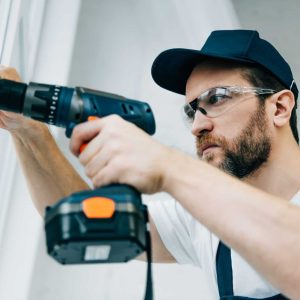
Not all smart home devices for homeowners are equally easy to set up. Plenty of them plugs, bulbs, and simple locks are genuinely plug-and-play. Others, like smart thermostats that require rewiring, video doorbells tied into existing electrical, or whole-home hub setups, are easier and safer to leave to a professional. A miswired thermostat can trip your HVAC system, and a poorly mounted doorbell is one of the most common return reasons for that product category.
If you’d rather not risk it, our team handles Smart home solutions Houston homeowners can rely on from single-device installs to full smart home setups, done right the first time.
Pairing Smart Devices With a Seasonal Maintenance Routine
Smart home devices for homeowners work best when they’re part of a bigger maintenance habit, not a one-time purchase. Leak sensors only help if you’re also checking your water heater seasonally. Smart thermostats perform better when paired with regular HVAC filter changes. If you haven’t already built a routine around this, our home maintenance checklist Houston guide walks through exactly what to check each season and it pairs naturally with the devices covered here.
Frequently Asked Questions
Are smart home devices worth it for a Houston home specifically?
Yes, that’s right, more than in milder areas. In cities with less severe weather, devices such as smart thermostats and leak detectors will last longer before they begin to generate a profit; however, in Houston, the high humidity and likelihood of storms means that these devices will start to make money sooner.
Do smart home devices work during a power outage?
This is dependent on the device. Battery-back locks and doorbells will continue to function for a while, but devices that are powered by mains electricity and Wi-Fi will simply not work until the power comes back on. If power outages are an issue, consider getting battery-backed routers and hubs or a home battery/UPS system for your router and hub.
Can I mix devices from different brands?
Increasingly, yes. The Matter standard allows devices to function on Google, Amazon and Apple platforms, so you don’t have to use a specific brand as you did a few years ago. The app might be needed for older devices as well.
Do I need a hub, or can everything run off my Wi-Fi?
The majority of contemporary devices are able to connect straight to the Wi-Fi and require no additional hub. However, for larger homes a hub can increase reliability and range, and many Zigbee or Z-Wave devices must have a hub.
What’s the easiest smart device to start with?
A smart plug or smart bulb. Both are easy and not expensive and both offer the first time user a risk-free perspective of using an app based system before they purchase a thermostat or a lock.
Final Thoughts
The right smart home devices for homeowners aren’t about buying every gadget on the market, you don’t need to smart-ify your entire house overnight. Start with a thermostat and a video doorbell, add a leak sensor or two before hurricane season, and build out from there as you get comfortable. Houston’s climate makes these devices more useful here than almost anywhere else in the country, and most of them pay for themselves within a year or two through energy savings and fewer surprise repairs.
If you’d rather have a professional handle installation, wiring, or setup, our team offers full handyman services in Houston, smart home devices included.